
The complete guide
How to Choose a Retro Mechanical Keyboard
The problem with most keyboards
Most keyboards that come with a computer are membrane boards. Under each key is a rubber dome. You press, the dome collapses, the key registers somewhere in that mush, and you have no real way of knowing when it happened. So you push every key all the way down, hard, because that is the only thing that feels definite. Do that eight hours a day and your fingers notice.
They also look like nothing. A flat grey slab with flat grey keys. Fine, functional, forgettable.
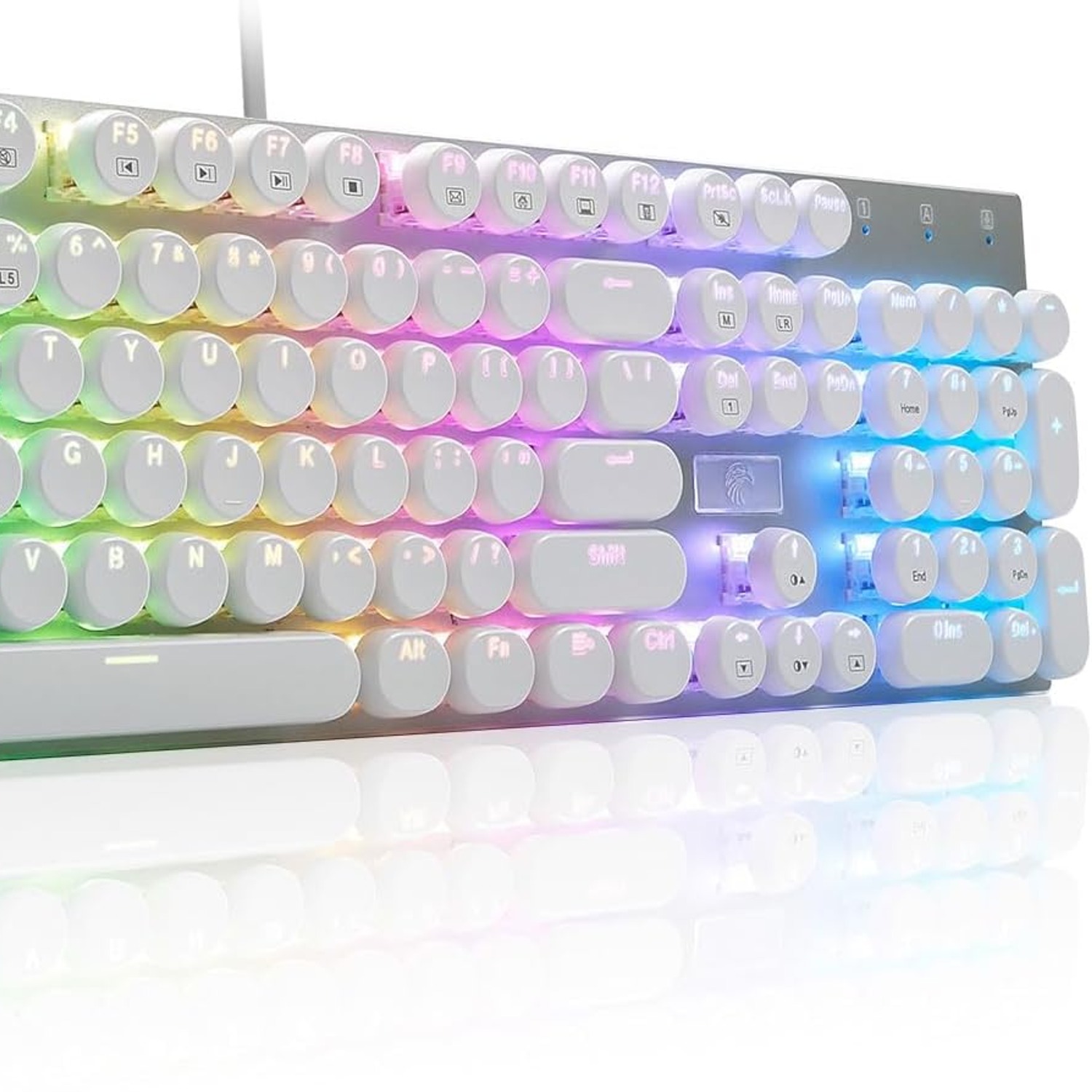
A retro mechanical keyboard solves both of those at once. Each key sits on its own mechanical switch with a defined actuation point, so you feel exactly when the press has counted. And instead of a slab, you get round keycaps standing above a metal plate, which is a far more interesting thing to look at every day.
What makes this one retro
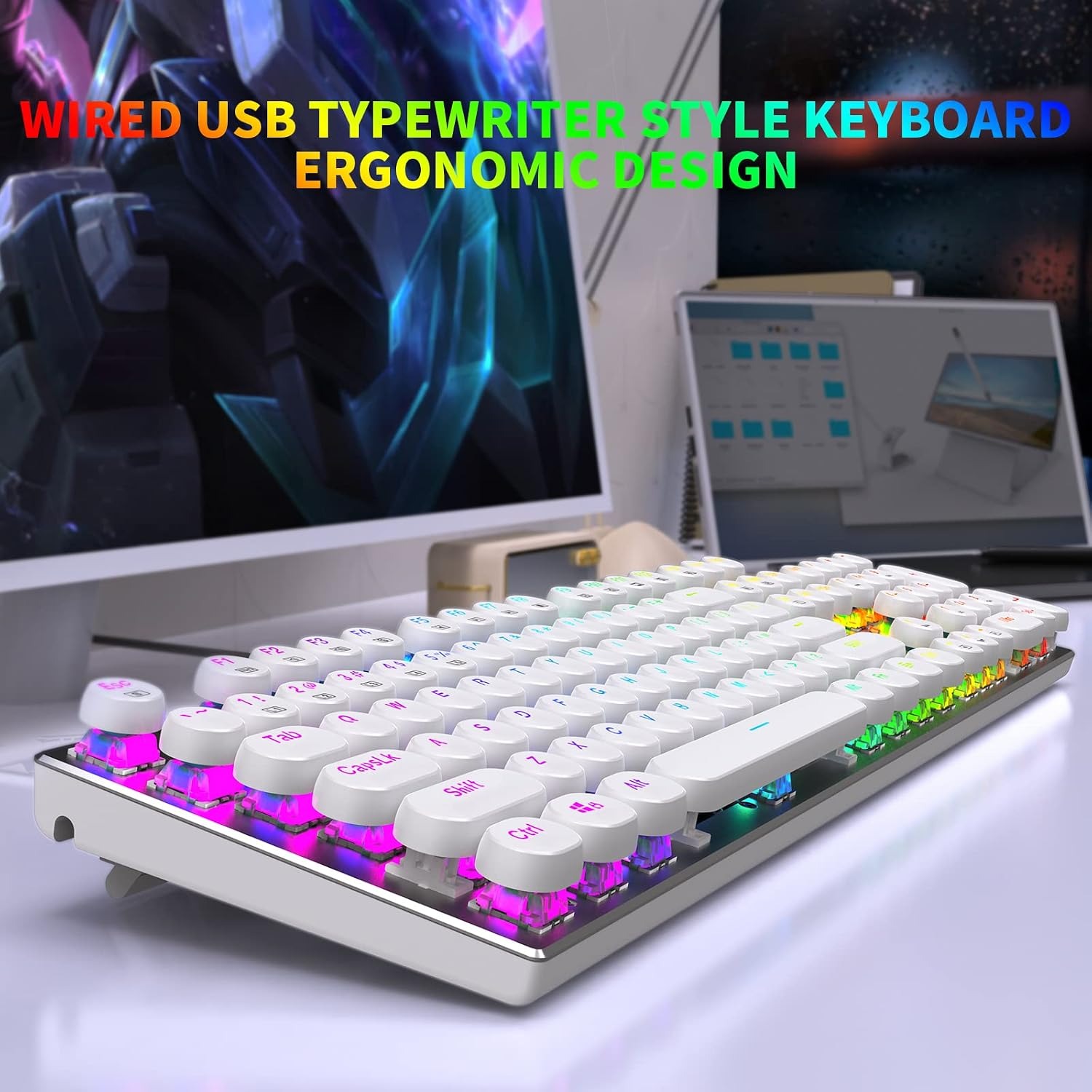
The look comes from two choices. First, the keycaps are round rather than square, which is the single detail most people associate with old typewriters. Second, the keys float. The caps sit above the top plate instead of being recessed into a tray, so you can see the stems and the light underneath.
It is worth saying plainly: this is a computer keyboard that looks like a typewriter. It is not a typewriter. There is no paper, no ribbon, no carriage. It plugs into a PC and types on screen. People sometimes assume otherwise from the photos, so it is better to be clear up front.
Underneath the styling, everything is current. A USB cable, RGB lighting, 104 keys with anti-ghosting. The vintage part is purely the shape and the feel.
How clicky switches actually work
Inside each key is a switch. In a clicky switch, there is a small mechanism that produces both a tactile bump and a sharp click at the point the key registers. You feel it and you hear it at the same moment.
That matters more than it sounds. On a membrane board you learn to bottom out, slamming each key into the base. On a clicky mechanical board you learn the opposite, because the click tells you the job is done and you can lift off. Over a long document, that is a lot of unnecessary force you stop using.
The trade-off is noise. These switches are the loudest common type. In a room by yourself, it is satisfying. On a video call or in an open office, your colleagues will know what you bought. If quiet is a hard requirement, a clicky board is the wrong starting point, and that is better to know before you order than after.
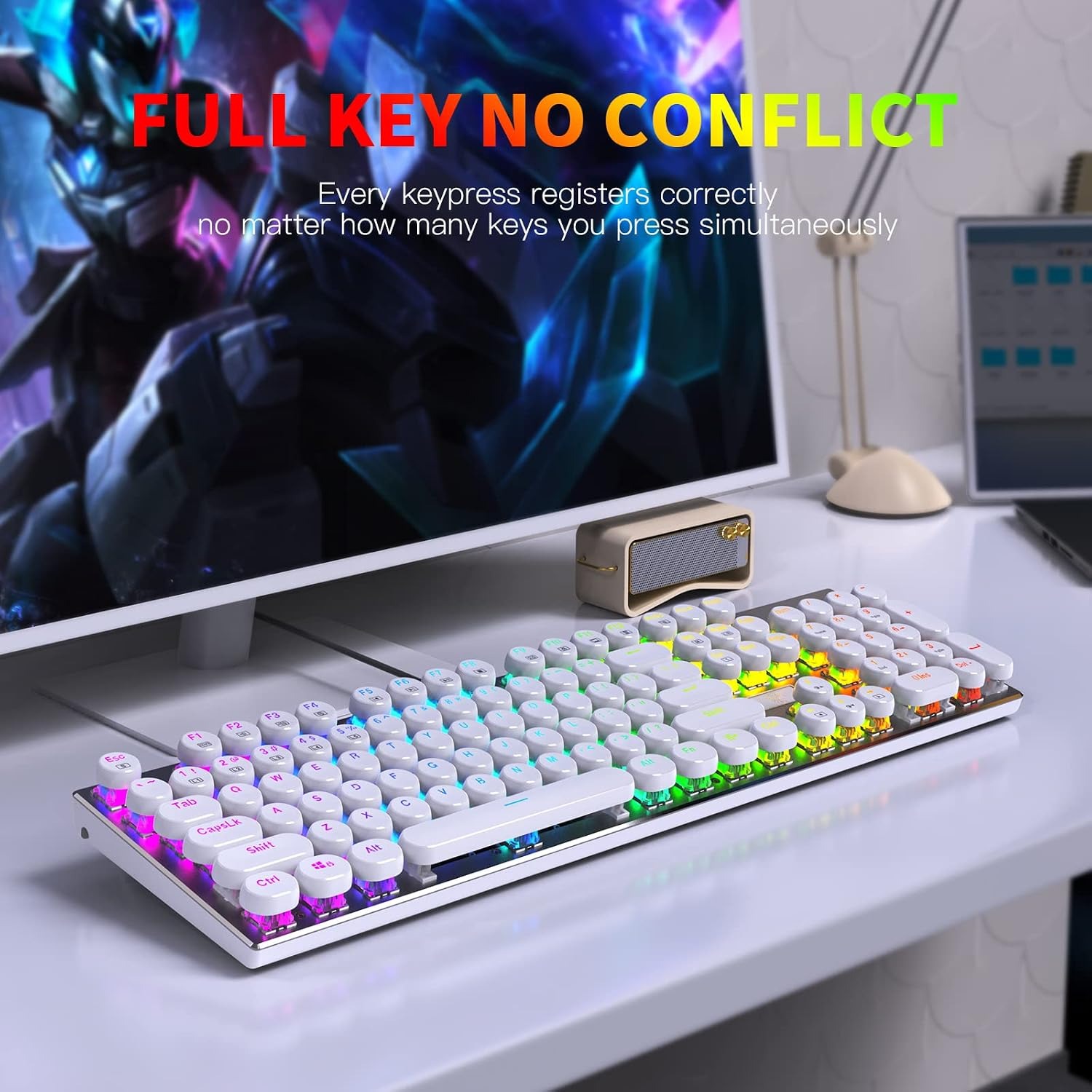
Each key here runs on its own independent switch, which is also why all 104 keys are anti-ghosting with N-key rollover. Press five keys at once and all five register. Fast typists hit this more often than they realise, because fingers overlap on quick words.
Who this suits
Writers and anyone who types a lot tend to get on well with clicky boards. The feedback keeps your rhythm honest.
Gamers are the other obvious group. The maker names gaming among its recommended uses, and the independent switches mean held combinations do not drop. If you want an anti-ghosting keyboard in a full-size body, this layout covers it.
Office and admin work is another case. The number pad is on the board, so spreadsheets, invoicing and data entry are quicker than reaching for the top number row. The only caveat is the noise again.
Who it does not suit: anyone sharing a small quiet room, and anyone who wants a compact board. At 42.9 cm wide, this takes real desk space.
Full size versus smaller boards
A full-size board gives you everything, including the number pad. The cost is width. If you play games that need big mouse sweeps, your mouse arm has to start further to the right, and some people find that uncomfortable over hours.
If you mainly type, work with numbers, or do both, full size is the practical choice. If your desk is shallow or you want the mouse close in, a smaller layout is kinder, though you lose the number pad. This board is full size, so check your space with a tape measure before deciding. Width is 42.9 cm, depth 12.3 cm, height 3.7 cm.
The lighting, and how to think about it
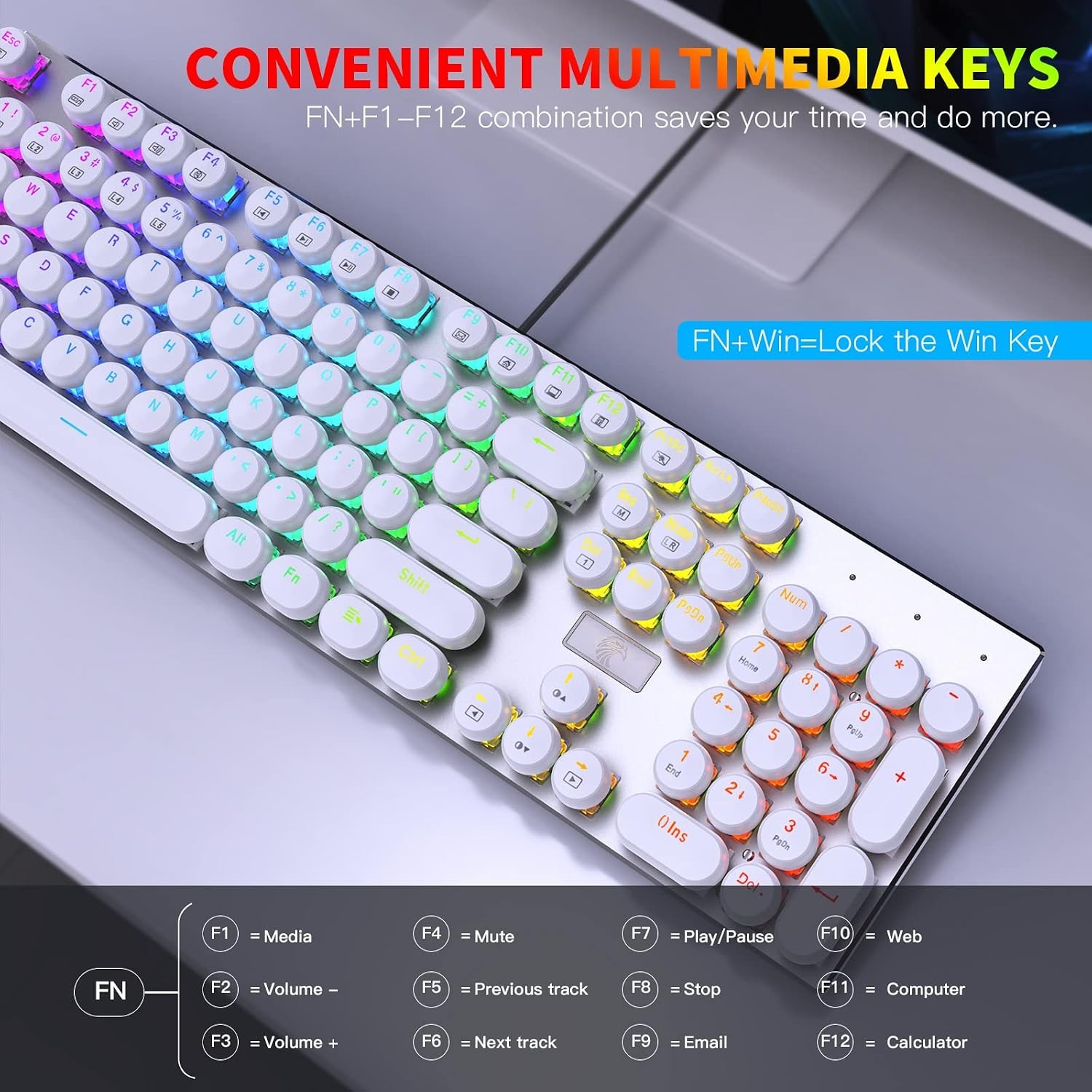
RGB on keyboards gets a lot of eye-rolling, usually because of the default rainbow wave that ships turned on. The useful thing here is that there are 13 modes and one of them is a solid colour. Set it to one steady shade and the lighting stops being a light show and starts being a quiet glow that helps you find keys in a dim room.
Two practical points. The modes are changed from the keyboard itself with a key combination, so there is no program to install. That is genuinely helpful on a locked-down work computer. And the keycaps are double-shot moulded, meaning the letters are a separate piece of plastic rather than paint. Light passes cleanly through the character, and more importantly the letters cannot wear off, which is the usual death of a printed keycap after a year of heavy use.
Build and weight
The case is metal and plastic with a metal keyboard plate under the switches. A metal plate is the part that matters most for feel, because it stops the board flexing as you type. The whole thing weighs 0.8 kg, which is enough to keep it in place. Cheap light boards slide across a desk during fast typing, and nothing breaks concentration quite like a keyboard drifting.
The switches are pluggable, and five spare switches come in the box, so a tired key can be swapped rather than sending the whole board away.
The maker rates it as water resistant. Read that as protection against a splash, not an invitation. If something does spill, unplug it immediately and let it dry out completely before plugging it back in.
Living with it
Mechanical keyboards collect dust and crumbs in the gaps, and the floating keycap design makes this easier to deal with than most. There is no recessed tray for debris to hide in. A soft brush or a short burst of compressed air between the keys every couple of weeks keeps it tidy.
For the surfaces, unplug it, wipe the case and caps with a slightly damp microfibre cloth, and dry it right away. Skip solvent cleaners. They can haze plastic and lift finishes.
The break-in period is worth mentioning too. New clicky switches can feel slightly stiff for the first week. They loosen with use, and so do your fingers. Give it a few days before deciding whether the feel is right.
The short version
If you want a keyboard that looks like a typewriter and types like a modern mechanical board, this does both. Round floating keycaps and a vintage profile on the outside, 104 anti-ghosting keys, clicky switches, a metal plate and 13 RGB modes on the inside, all over a single USB cable.
Buy it if you like feedback you can hear and feel, you have the desk width for a full-size layout, and the clicking will not bother anyone nearby. Think harder if you need quiet or you are tight on space. Everything else, the lighting, the number pad, the build, is straightforward and easy to live with.