

The complete guide
Choosing a Retro Keyboard and Mouse Combo That Actually Suits Your Desk
The problem with most desk sets
Plenty of people buy a keyboard once, hate it quietly for three years, then replace it with something almost identical. The usual complaints are predictable. The board is too small, so your little finger keeps missing the edge keys. It rattles loudly enough to annoy whoever else is in the room. It only works with one device, so the tablet sitting next to the laptop gets poked at with a fingertip instead.
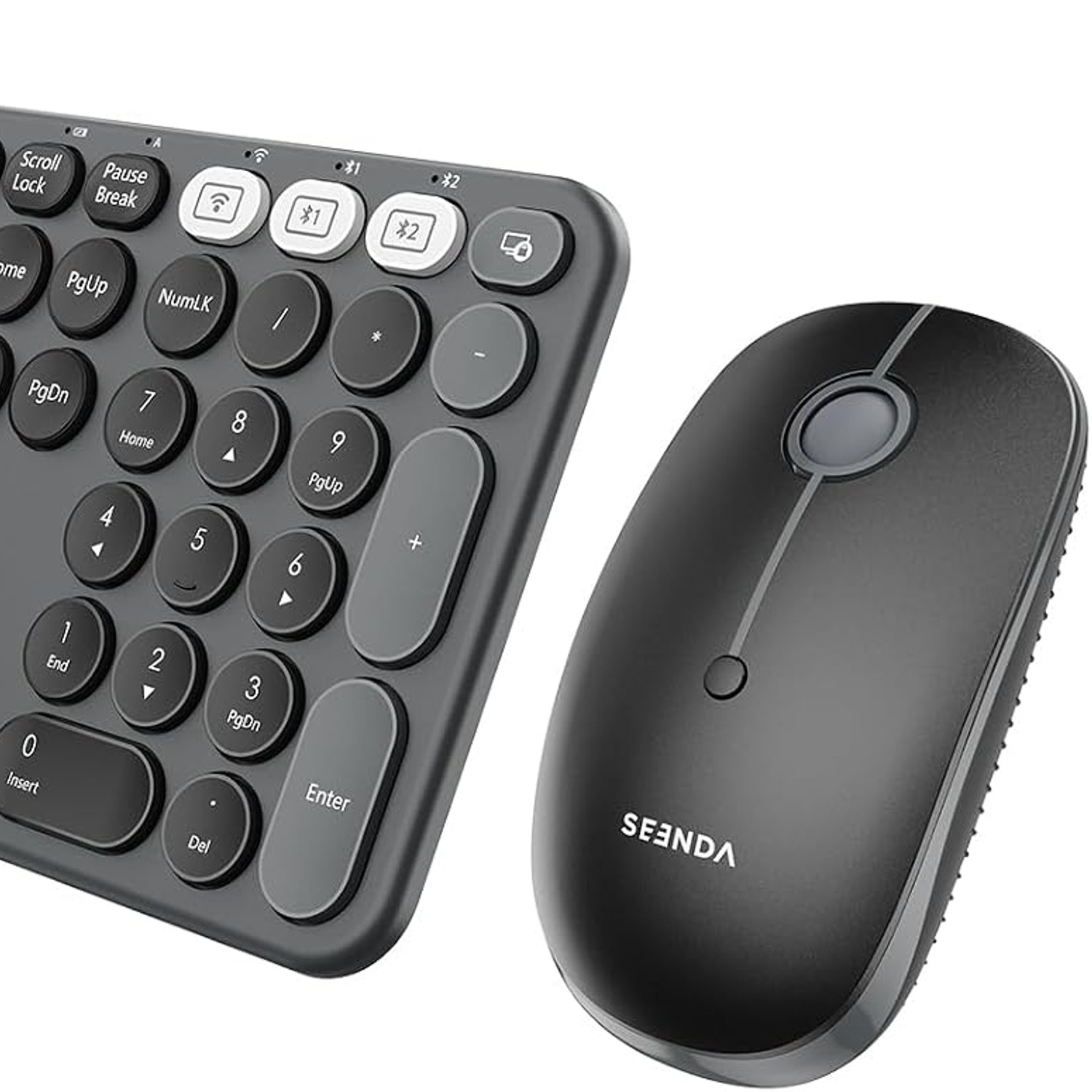
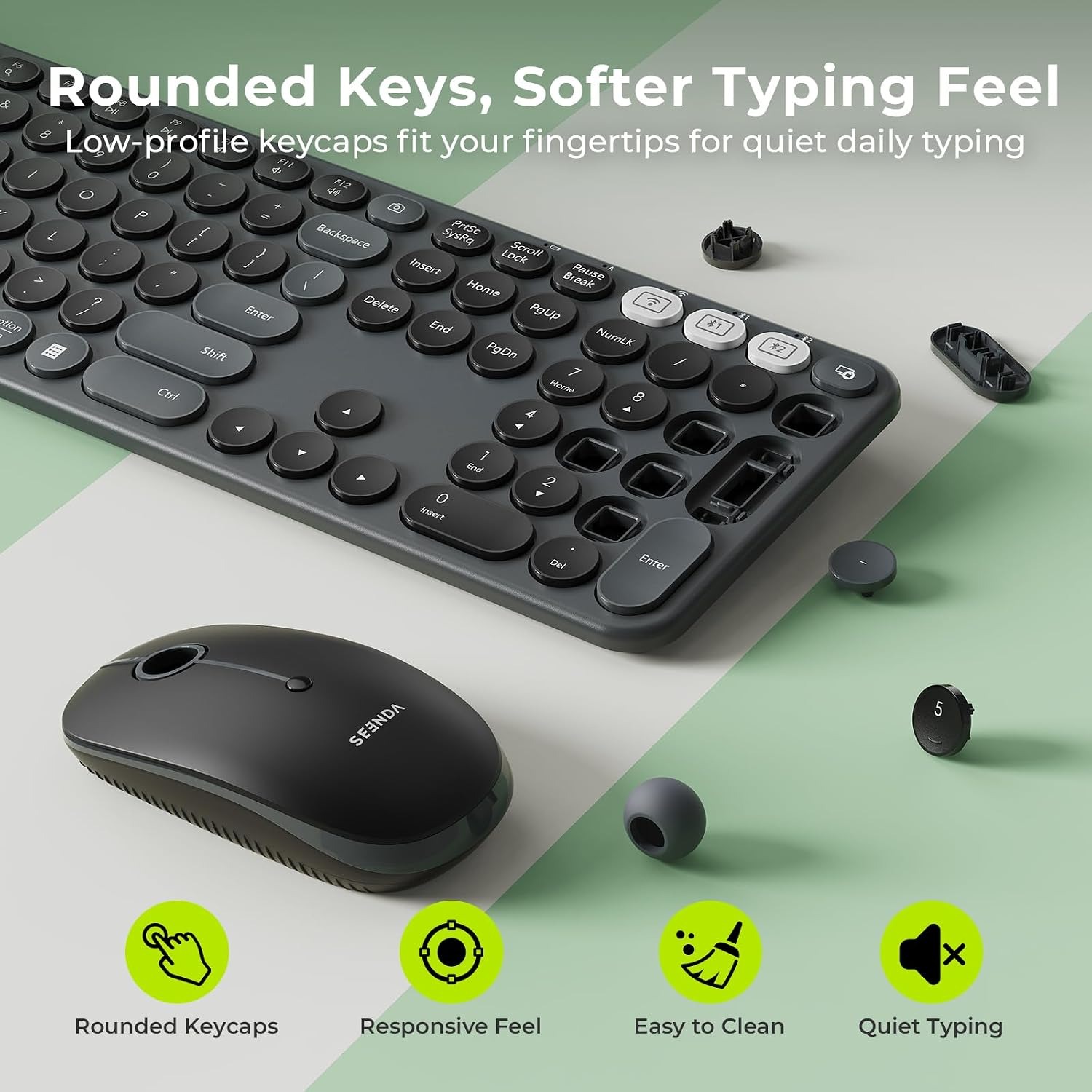
A retro keyboard and mouse combo like this one sets out to fix the practical problems while looking like something you actually want on the desk. The rounded keycaps and black finish give it that old machine shape, which is why people search for it as a typewriter style keyboard. It is worth being clear about what that means. This is a modern computer keyboard built to look like a typewriter. There is no ribbon, no platen and no paper. Plug it in or pair it, and it types into whatever is on your screen.
How the connection actually works
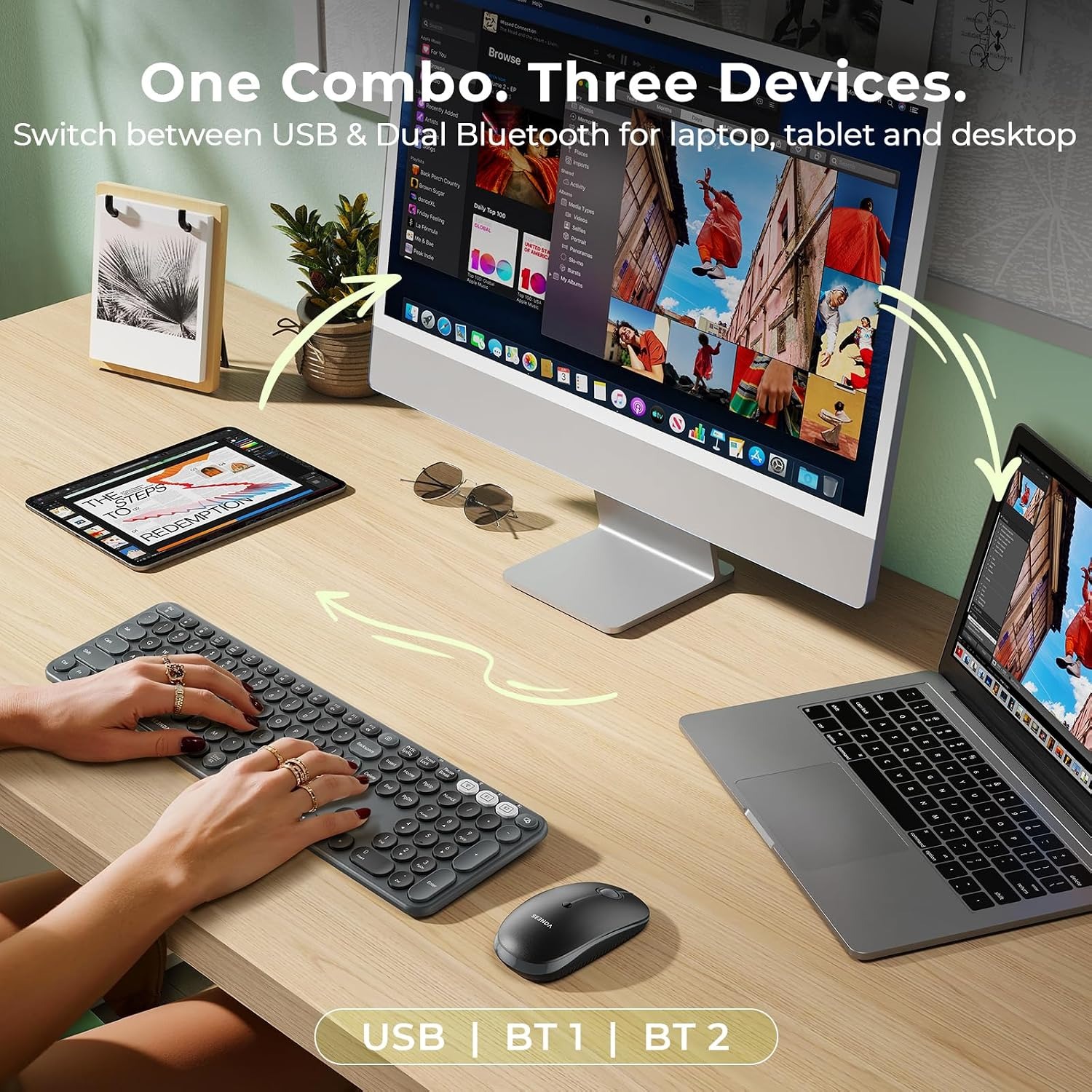
The useful part of this set is the way it connects. There are three channels. One is a 2.4G link through a small USB receiver you plug into a spare port, which suits a desktop or a laptop with ports to spare. The other two are Bluetooth, for devices with no USB socket or no spare one.
Together, that gives you three saved connections. In practice, that might be a work laptop on the USB receiver, a tablet on the first Bluetooth channel and a phone on the second. You switch between them rather than re-pairing, which is the whole reason a bluetooth retro keyboard set beats owning three separate keyboards.
The compatibility list covers a wide spread of hardware. Computers, PCs, laptops, notebooks, tablets, Mac, MacBook Pro and Air, iPad and iPhone are all named. Windows, Mac, iOS and Android are the named systems. If you work across two systems, expect a few shortcut keys to behave differently on each. That is normal for any multi device bluetooth keyboard and not a fault.
Full size, and why that matters
The keyboard is full size with a QWERTY layout. If you have only used a laptop keyboard or a small travel board, the difference takes about ten minutes to appreciate and then becomes hard to give up. Keys sit where your hands already expect them. Edge keys are reachable without stretching. The number area makes data entry something other than a chore.
The trade-off is desk space. A full-size wireless keyboard needs more width than a compact one. The maker doesn't publish the dimensions, so if your desk has a tray, a shallow shelf or a monitor stand that limits width, measure the available space before you order. It is a two-minute job that saves a return.
There are also 12 multimedia shortcuts built in. Volume is the obvious one. Having playback and sound control on the board itself means you stop breaking concentration to hunt through a menu every time a video starts too loud.
Typing feel and noise
The maker lists quiet typing as a feature and describes the keystrokes as responsive but quiet. This matters more than people expect. If you share an office, work in a lounge while someone watches television, or type during video calls, a noisy board makes you self-conscious and makes everyone else twitchy. The mouse clicks quietly as well, so the whole set behaves itself.
The keyboard sits on a built-in fixed tilt rather than flip-out feet. That means the typing angle is decided for you. The upside is that nothing collapses halfway through the afternoon, which is the classic failure of cheap plastic feet. The downside is that if you specifically want a flat board, this is not it.
The mouse
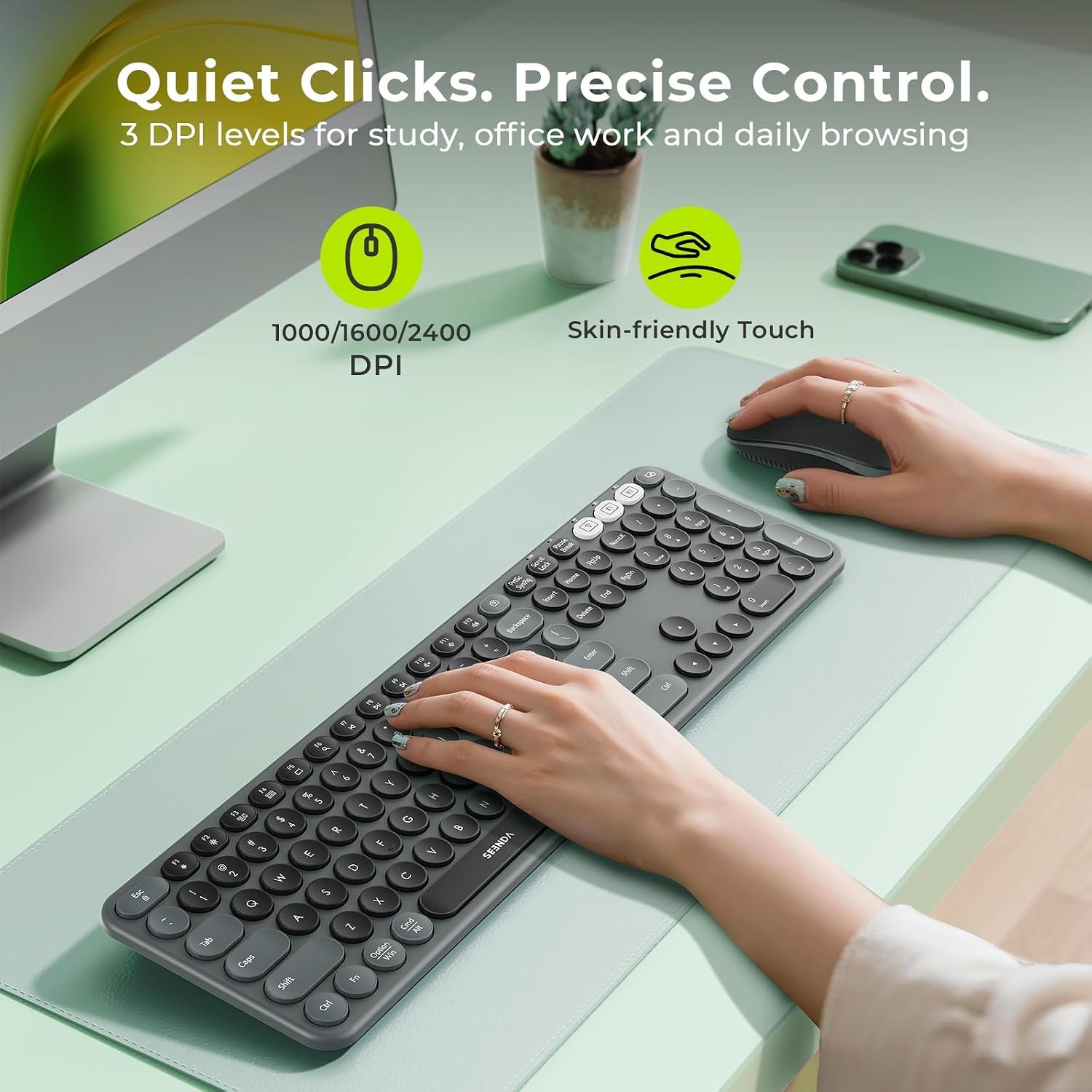
The mouse is shaped to sit under the palm rather than being pinched with the fingertips. For long sessions that spreads the load across the hand instead of concentrating it in two fingers. Comfort is personal, so no shape suits everyone, but a palm-fit body is the safer bet for most hands.
It has three DPI levels. Dropping the DPI slows the pointer, which helps with detailed work like selecting cells, trimming photos or placing objects precisely. Raising it speeds the pointer up, which is what you want when crossing a wide monitor or a dual-screen setup. Being able to change it on the fly means one mouse covers both jobs, and an adjustable DPI wireless mouse is genuinely more flexible than a fixed one.
Power and the small print
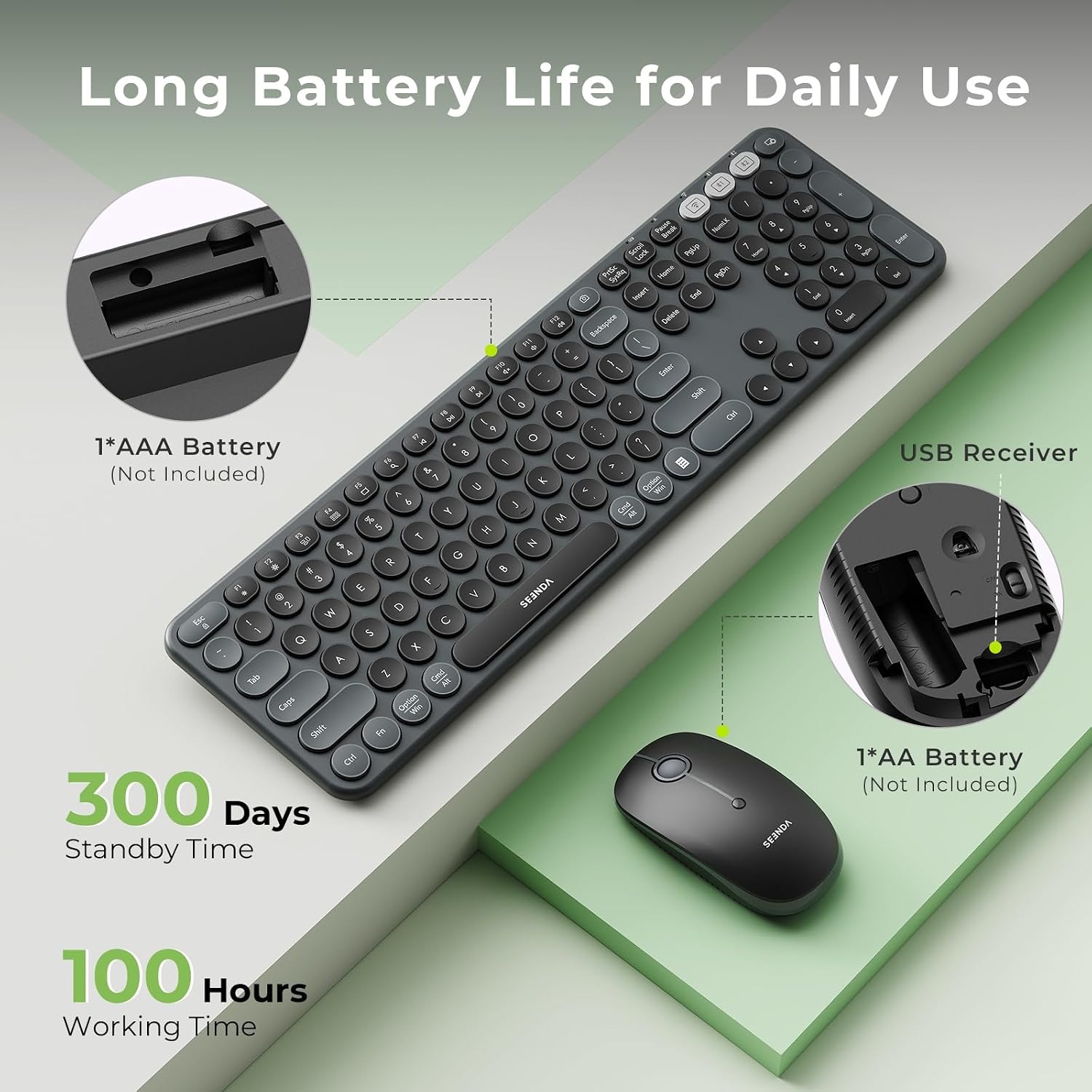
The set is battery powered and the maker lists 1 AAA battery as required. The maker doesn't state battery life, so plan to keep a spare in a drawer. Rechargeable AAA cells work fine if you would rather not keep buying disposables.
A keyboard protector is included. It is a simple thing, but on a desk that doubles as a dining table or a homework station it earns its place. Crumbs, dust and pet hair all end up in keycap gaps eventually, and clearing them out is tedious.
The maker doesn't publish weight, dimensions or material. The colour is black and the country of origin is China. If any of the unspecified details are a deal-breaker for you, ask before ordering rather than guessing.
Who it suits
This set makes most sense for a few kinds of people. Someone running a hybrid setup where a work laptop and a personal tablet share one desk gets the most out of the three-device switching. Students who move between a notebook and a phone benefit for the same reason. Anyone who likes the look of old machines but needs a keyboard that works with current software will appreciate that it is a desk setup keyboard combo rather than a display piece.
It suits shared spaces too. Quiet keys, quiet clicks and no cables trailing across the desk all help in a room you share with other people.
It is less suited to anyone who needs a very small footprint, anyone who insists on an adjustable tilt, or anyone shopping for a mechanical gaming board. Those are different products for different jobs.
Looking after it
Care is straightforward. Switch both units off before cleaning. Wipe the housing and keycaps with a soft cloth that is barely damp, then dry straight away. Never spray liquid directly onto either unit. For crumbs and dust in the key gaps, tip the keyboard gently or use a soft brush or an air blower.
If you are putting the set away for a while, take the battery out. Leaving cells in an unused device for months is how you end up with corrosion. Store it somewhere dry and out of direct sunlight, and use the included protector on the keys when the desk is idle.
Buying with confidence
Delivery is tracked, and the estimated arrival time appears at checkout for your address. Returns are accepted within 14 days of delivery as long as the set is unused and in its original packaging, so keep the box until you are certain.
Before you order, two checks are worth the time. Measure the width of your desk space, since this is a full-size board. And glance at the compatible devices list to confirm your particular setup is covered.
The short version
This is a modern full-size wireless keyboard and mouse styled with rounded keycaps so it looks like an old machine. It connects by 2.4G USB plus two Bluetooth channels, so three devices can share it. Typing and clicking are quiet, there are 12 multimedia shortcuts, the keyboard sits on a fixed tilt and ships with a protector, and the mouse offers three DPI levels on a palm-fit body. It runs on one AAA battery. If you want character on the desk without giving up a familiar layout, it is a sensible pick.